• Facebook
  • Instagram
  • Pinterest
  • Twitter
  • YouTube

Tools2Tiaras

Take The Wave In Your Gown

  • Home
  • Gift Guide
    • Holiday Gift Guides
    • Shopping
      • Luxury
  • Beauty & Fashion
    • Beauty
    • Fashion
    • Over 40
    • Over 50
  • Family
    • Baby/Toddler
    • Teens
    • College Students
    • Wedding
    • Empty Nest
  • Food
    • Adult Cocktails
    • Baking
    • Entertaining
  • Home & Living
    • Business
    • Crafts & DIY
    • Entertainment
    • Fitness
    • Health
    • Living
    • Movies & TV
      • Movies
    • Outdoors
    • Pets
  • Travel
    • Spa
    • The Compass Girls Magazine
  • Men’s Lifestyle
    • Auto
    • Sports
    • Tech
    • Men’s DIY
    • Men’s Fashion

How Logitech Harmony Makes Your Entertainment System Life Easier

June 14, 2018 Rachel Ferrucci Leave a Comment

Remember before cable when you had to get up to change the dial on the TV? Or how about when your cable box was connected to your TV by a long wire and you had 36 channels to choose from? There were no remotes, just a huge box that you couldn’t possibly lose. Fast forward to how technology has changed! Our entertainment center has receivers, speakers, CD players, Roku, Firestick, XBox or some other game console, and more. I’m forever trying to remember which remote goes for what and which input our TV needs to be on.

vintage TV
I love new tech but it takes me longer than the average bear to figure it out. Recently, I received and reviewed the Sony Google Assistant and it was pretty easy to set up and I love being able to give my voice commands for music, shopping lists, and reminders.
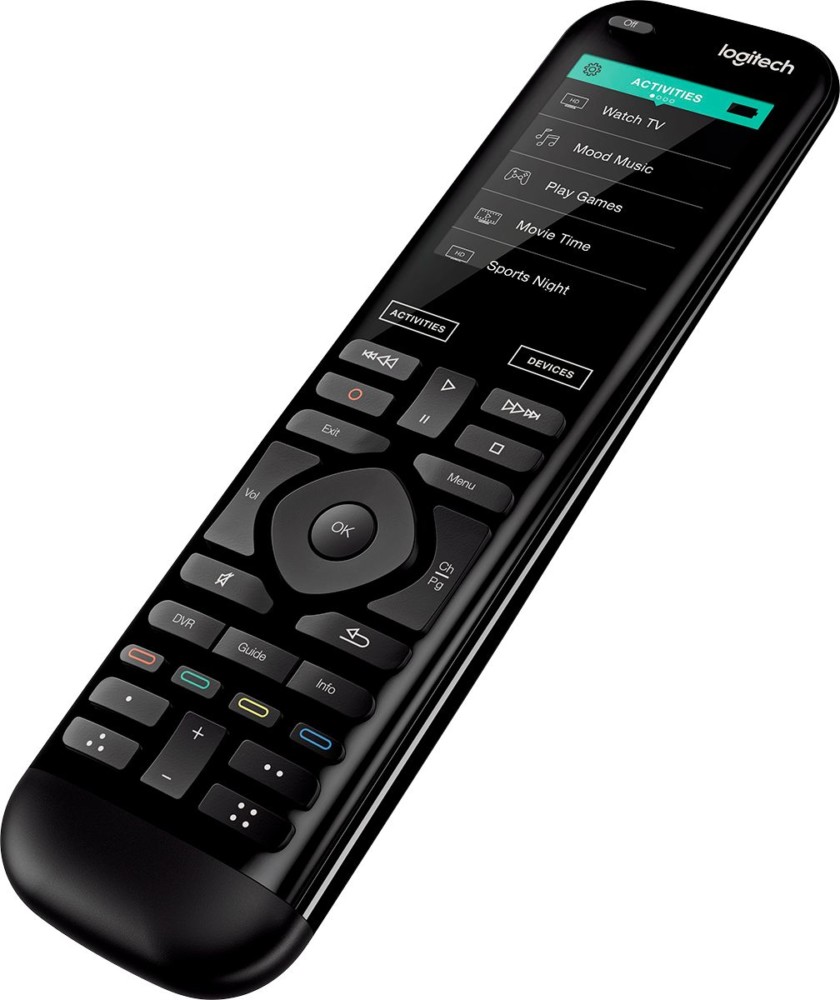
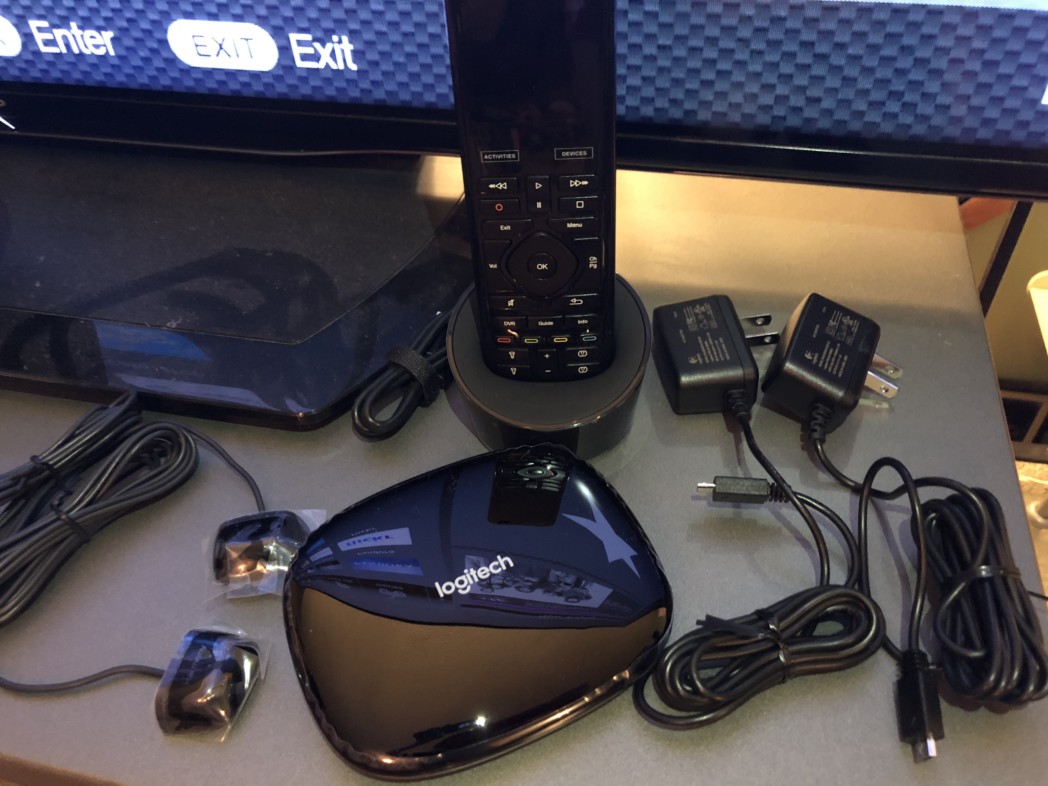
I now received The Logitech Harmony Elite and I paired it with my Google Assistant (Also a great companion for Amazon Alexa and Google Home) and it controls our entire home with just our voice. I set it up by myself following the easy commands. (We’ll get more into that) Harmony Elite
What You Can Do
You make the commands and it obeys, it’s like your own personal genie. When I get up in the morning, I ask Harmony to “Start My Day”. It turns on the news for me while I’m pouring my coffee. Harmony Elite turns on your TV and with key words it knows what channel to turn on. While watching TV you can also ask to change the channel.
Logitech harmony Elite
This is a gem for sports fans because you can have (Activities) commands set up for “Play Ball” and Harmony will turn on the game for you or ESPN, you set it up. I’m looking forward to using it during football and I’ll come up with some fun command words to shock friends when they come over for Sunday Football! You can have many command words and steps Harmony Elite will take all by voice control.
Some other things Harmony Elite does is turn up the volume, turn on Netflix, Roku, or get everything ready for a CD to be played. You can enjoy easy, hands-free control of all the things you love
You can also connect all your other smart home devices like lights, thermostats, locks, and more to control everything from your voice. You will have the ONE sleekly designed remote that has a color touchscreen with motion-sensing backlit keys, and one-touch automation, Harmony Elite makes universal home control intuitively magical. Harmony Elite works with over 270,000 entertainment and smart home devices so you can enjoy single-touch control with your favorite brands, right out of the box.
 Easy Set-Up
Make sure you’re Google Assistant or Amazon Alexa is connected.
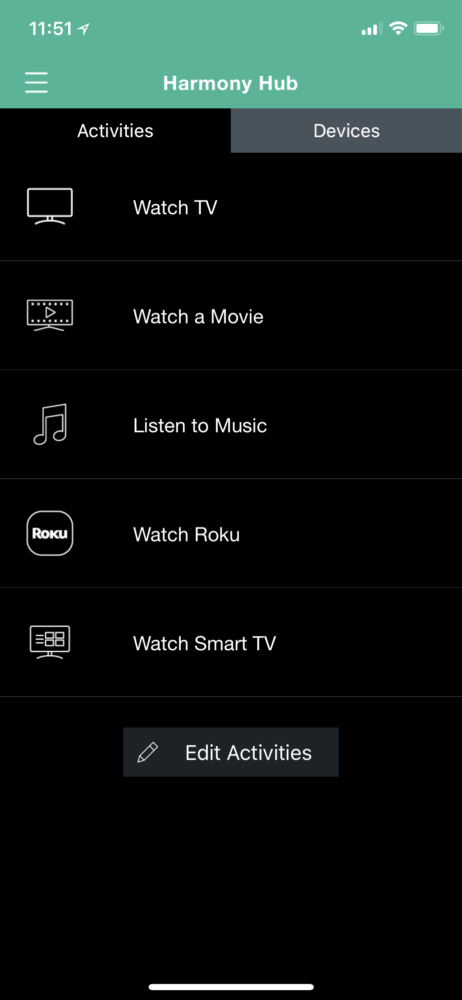
I the downloaded the Logitech Harmony app and followed it’s instructions.
After connecting each device I had to Harmony (TV, receiver, Xfinity, Xbox, etc) I created activities for each. For instance to turn on Netflix if I’m watching TV, I would need to use the TV remote to change the input and then use the Xfinity remote to turn on Netflix. I usually have to stand up because I have my Xbox Kinects in front of the TV which blocks the TV sensor. It’s quite the pain in the butt. Now, I just use my voice and ask Harmony Elite to turn on Netflix or I can use the Harmony remote from sitting.
Logitech harmony Elite
Whether you are a tech genius or limited to using tech, the Logitech Harmony Elite is the newest tech tool that is a must-have!


The reviewer has been compensated in the form of a Best Buy Gift Card and/or received the product/service at a reduced price or for free.
Related Posts Plugin for WordPress, Blogger...

Featured, Living all in one remote, google assistant, harmony remote, logitech remote

About Rachel Ferrucci

Lifestyle writer, blogger, and social media influencer, specializing in travel, beauty, food, fashion, and family. As an empty nester I'm finding adventure around every corner to live life like it's my last day. Don't be surprised to find me in stilettos waving a light saber while playing with my grandchildren! Rachel Ferrucci

Leave a Reply Cancel reply

Your email address will not be published. Required fields are marked *

Instagram

rachelferrucci


You’ll find a replica David in the square but goin
You’ll find a replica David in the square but going to Accademia Gallery in Florence and seeing this breathtaking statue by Michelangelo is 100% worth it, whether you like art or not. His right leg has a tree stump which balances the entire statue. 

#travelinfluencer #florenceitaly🇮🇹 #artlovers #michelangelo


My souvenir from Paris. You asked what it was, her
My souvenir from Paris. You asked what it was, here you go. 

#Dior


Our first day in #Florence.
@hoteltorreguelfa was

Our first day in #Florence.
@hoteltorreguelfa was exquisite and the perfect location. 
First thing- mangia and second - gelato
=heaven


Shopping day in Paris!

#Paris #gallerieslafayett
Shopping day in Paris! 

#Paris #gallerieslafayette


Follow on Instagram


© Copyright 2025 Tools 2 Tiaras · All Rights Reserved · · All Logos & Trademark Belongs To Their Respective Owners·

  • Home
  • About Us
  • Contact/PR/Media
  • Privacy Policy
  • Cookie Policy
We use cookies on our website to give you the most relevant experience by remembering your preferences and repeat visits. By clicking “Accept”, you consent to the use of ALL the cookies.
.
SettingsAccept
Privacy & Cookies Policy

Privacy Overview

This website uses cookies to improve your experience while you navigate through the website. Out of these, the cookies that are categorized as necessary are stored on your browser as they are essential for the working of basic functionalities of the website. We also use third-party cookies that help us analyze and understand how you use this website. These cookies will be stored in your browser only with your consent. You also have the option to opt-out of these cookies. But opting out of some of these cookies may affect your browsing experience.
Necessary
Always Enabled
Necessary cookies are absolutely essential for the website to function properly. This category only includes cookies that ensures basic functionalities and security features of the website. These cookies do not store any personal information.
Non-necessary
Any cookies that may not be particularly necessary for the website to function and is used specifically to collect user personal data via analytics, ads, other embedded contents are termed as non-necessary cookies. It is mandatory to procure user consent prior to running these cookies on your website.
SAVE & ACCEPT